How I Write a Related Work Section with Zotero and Overleaf
This week I’m writing a Related Work section for a research paper in a field outside my specialty. Usually I write about distributed systems, and I already know most of the papers I need to cite on a specific topic. But now I’m targeting a software engineering conference, so I’m rolling all over the Internet like Katamari, accumulating a big ball of citations that may eventually form a bibliography.

Here’s what I’ve learned about efficiently assembling a Related Work section for a new-to-me topic. I’ll show you how to use Overleaf and Zotero, and … I’ll announce a new Zotero plugin I built which makes my job easier, and perhaps yours.
Find Papers #
LLMs in Deep Research mode make a good start—this is available with a subscription to Gemini, ChatGPT, etc. I started by uploading a draft of the paper I’d written so far. A prompt like this partly corrects the LLM’s bad instincts:
I’ve uploaded a draft of a research paper I’m writing for [insert conference]. Please look for papers in peer-reviewed journals and conference proceedings on the subject of [describe the subject]. I’m looking for this because I want papers to cite in the “related work” section of this paper. Don’t tell me about the paper I uploaded, I wrote it, I already know about it. Just use it as an example of the topic I’m researching. I want you to find me research papers. They’re probably PDFs on the internet. It’s helpful to search scholar.google.com, dblp.org, or researchgate.net. If it’s not a research paper, or if I wrote it, don’t tell me about it. Find me research papers that I can cite in the research paper that I will write.
Maybe these instructions are needlessly grouchy; you can guess I’d had a few rounds of disappointing results before I wrote them.
Besides using AI, I followed my own advice and plugged keywords into Google Scholar, Arxiv.org, DBLP.org, etc. You know which sites are best for you.
Collect Papers in Zotero #
Once I had opened a hundred tabs, I skimmed the papers’ abstracts and imported the promising ones into a Zotero collection with the Zotero Connector for Chrome. Zotero has a lot of great features for assembling a bibliography. One of them is, papers’ citation numbers are clickable:
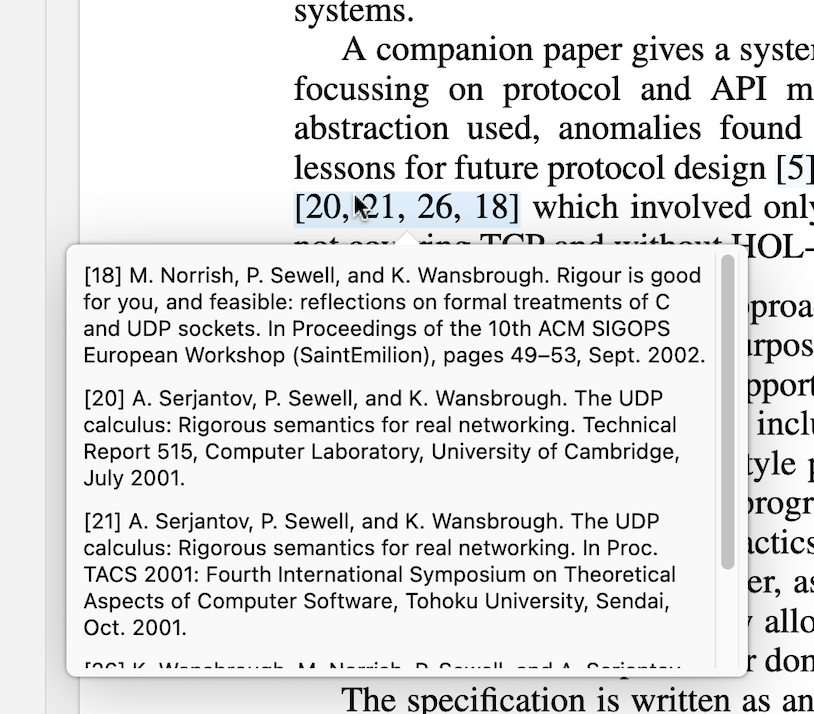
This makes it easy to open a paper, skim its intro, and find its citations to earlier, more foundational papers. Eventually you find the ur-paper (or some survey paper) which is an authoritative citation on some topic. I wish Zotero also helped you find and download cited papers, but this is easy enough to do myself. (Unless you can tell me about a plugin that does this, or build one for me?)
Fill In Missing Metadata #
The Zotero Connector for Chrome usually fills in a paper’s metadata—authors, date, publication, and so on—when I import a paper from the web. But sometimes a paper lands in Zotero with bad or missing info, if I downloaded it from an obscure site. This means I can’t generate a bibliographical reference for it. To my surprise, I didn’t find an automated solution, so I built a Zotero plugin over the weekend called Metadata Search. The plugin searches just CrossRef.org and DBLP.org for now (pull requests welcome), and shows a list of results.
For example, here I have a paper in Zotero, with only a title and incomplete authors list. My plugin finds more info on DBLP.org:
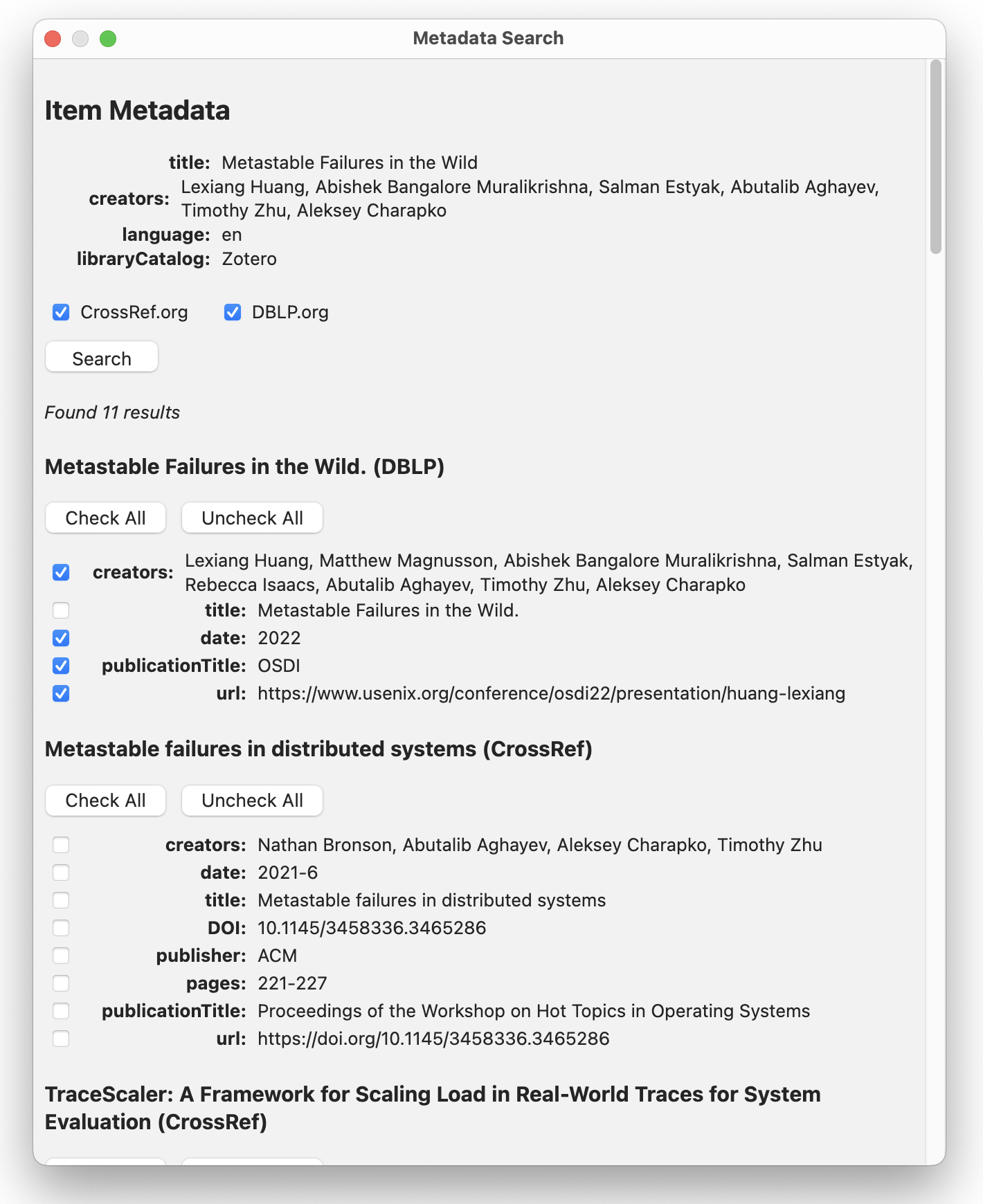
I check some boxes for the fields I want to update, and the plugin copies the values into Zotero.
Bibliography and Citations #
Now, since I’m writing my paper with LaTeX, I need to generate a BibTeX bibliography file and cite particular entries in the text of my paper. There are two paths.
One path is to install Better BibTeX for Zotero. This has two killer features. First, it creates stable citation keys for papers. Even if I update the paper’s metadata (e.g. change its author or year), Better BibTeX ensures that the citation key doesn’t change. So if I first write a citation like \cite{2020_davis}, and then discover the paper was published in 2021, I can fix the date without breaking the cite directive. Its second killer feature is auto-export: I can tell it to export a Zotero collection as a BibTeX bibliography, and it will re-export to the same file each time the collection changes. This seems like a great labor-saving device for people writing LaTeX on their own machines.
The second path is to write an online shared doc in Overleaf. This is what I do, because it allows Google Docs-style collaboration with co-authors. Overleaf has a Zotero integration which dumps your whole Zotero catalog into the bibliography. If you have a huge catalog, like me, I recommend you create a Zotero “group library” and tell Overleaf to import only from there. Regardless, only the papers you actually cite will appear in the rendered PDF. You can refresh the Overleaf bibliography from Zotero whenever you want.
Here’s a demo of the whole workflow: